
What this does
Leave management lets you define the leave types your company offers (casual, sick, earned, and statutory ones like maternity), set each employee's balance, and run the full apply → approve workflow. Every grant, request and approval posts to a transactional ledger, so a balance can never silently drift out of sync.
Who can do it
- Configure types & balances: an HR admin (
company_adminorhr_manager). - Apply for leave: any employee, for themselves.
- Approve:the employee's manager, and HR. Employees see their own requests, managers see their reports', and HR sees everyone's.
Steps — set up leave types & balances (HR)
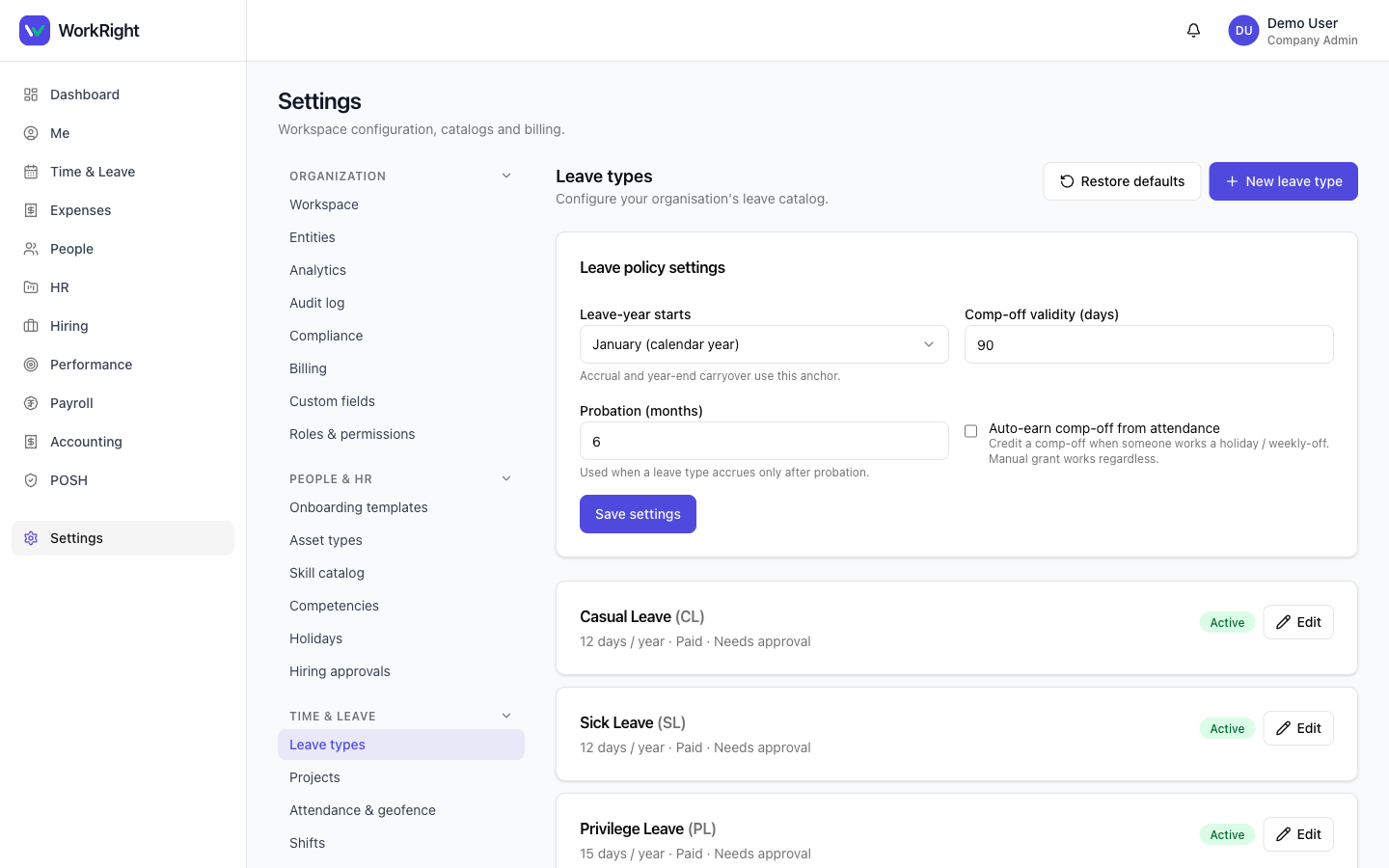
- Open Leave → Leave types. WorkRight starts you with sensible defaults (including statutory maternity, paternity and bereavement types) — edit them or add your own.
- For each type, set how it behaves — the annual entitlement and, where you want it, accrual and carry-over rules.
- Give employees their opening balances — per person, or in bulk via a leave-balances CSV import.
 Click to enlarge
Steps — apply & approve
- An employee opens Leave → Apply, picks the type and dates, and submits. WorkRight checks the request against their balance.
- The approver gets a notification (in-app bell, and email/Slack/ Teams if configured). A reminder job nudges pending approvals so requests don't get stuck.
- The manager or HR approves or rejects. On approval, the days are deducted from the balance via the ledger.
What happens next
Approved leave reflects in the employee's balance immediately and feeds attendance and payroll (e.g. loss-of-pay where applicable). Everyone can see the running balance and history, so there's a single source of truth instead of a spreadsheet.
Related
- Leave management for India — what the module covers.
- Run your first payroll — where leave affects pay.