
What this does
HR Core covers the housekeeping every company needs: documents (contracts, payslips, ID proofs), an asset register (laptops, phones — and who holds them), onboarding checklists for new joiners, and the reusable onboarding templates and asset types that those run on. The HR Overview leads with live numbers — onboarding in progress, documents expiring in 30 days, unassigned assets and the open offboarding queue — then links you straight to each tool.
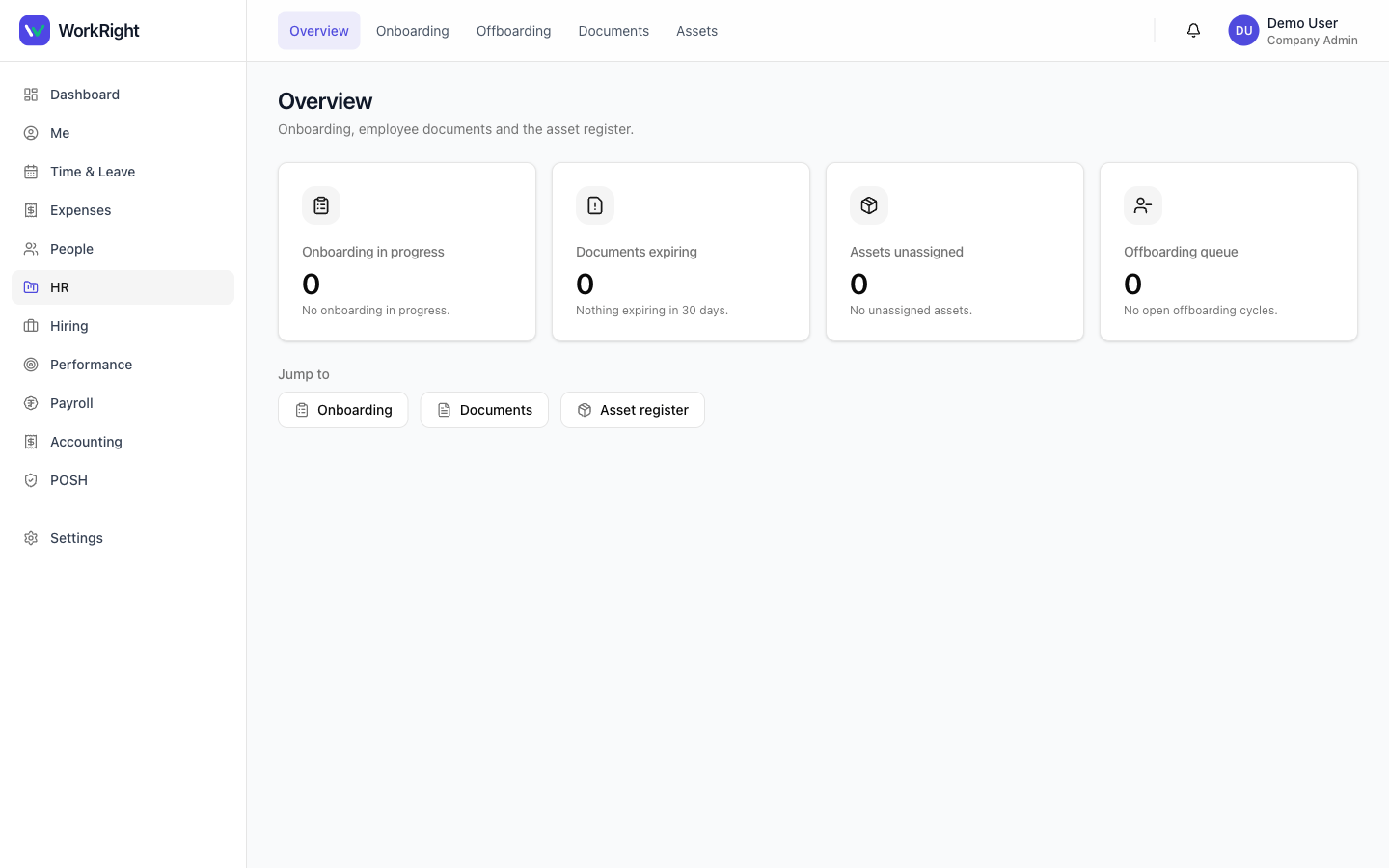 Click to enlarge
Who can do it
- View your own documents and onboarding: any employee, behind the HR feature gate. The document store defaults to your own records — visibility is enforced on the server, not in the browser.
- View any employee's store, register assets, run transitions, manage catalogs: an HR admin (a
company_adminorhr_manager). - Plan: the HR module must be enabled on your plan, or the menu item is hidden — see pricing.
Employee documents
Open HR → Documents. By default you see your own document store. HR admins get an employee pickerto view anyone's store ("My documents" or any active employee).
- Choose whose store to view (HR only), then use Upload to add a document.
- Set the document's visibility — this is a server-enforced security field, so an employee only ever sees the documents meant for them.
- Where a document has an expiry(e.g. a contract or visa), it feeds the "Documents expiring" KPI and the expiry reminders so nothing lapses unnoticed.
Deleting a document is HR-admin only; the control simply isn't shown to other roles.
Asset register
Open HR → Asset register to see company assets and who currently holds each one. HR admins can register a new asset and move it through its lifecycle — assign, return, retire or mark lost. The available moves depend on the asset's current state, and the backend enforces that state machine, so an illegal transition is never offered. Each asset belongs to an asset type (see Settings below).
Onboarding checklists
Open HR → Onboarding. Employees see their own checklists; managers and HR get a broader overview of their reports and the organisation. A checklist tracks the documents and tasks a new joiner needs in their first days. You start one for a person from their record (see Add or onboard an employee), choosing an onboarding template to seed the tasks.
Templates & catalogs (Settings)
The reusable building blocks live under Settings → People & HR, where HR admins manage them once and reuse them everywhere:
- Onboarding templates — named, reusable checklists you assign to new joiners. Create your own, or use Restore defaults to seed the standard one. Non-HR users see a read-only view.
- Asset types — the categories of company asset (Laptop, Phone, etc.) that the asset register draws on. Again, create your own or restore the standard set.
Tips
- Set expiry dateson time-bound documents so they surface in the "Documents expiring" KPI before they lapse.
- Build your onboarding template once, then every new joiner starts with the same consistent checklist.
- Keep the asset register current at assign/return time — it's what makes offboarding recovery clean when someone leaves.
Related
- Add or onboard an employee — start an onboarding checklist for a new hire.
- Offboarding & Full and Final settlement — recover assets and close out an exit.
- HR software for India — what the HR platform covers.