
What this does
The “Me”area is each employee's own corner of WorkRight. It works the same for everyone — a regular employee, a manager, or an HR admin — because it only ever shows yourdata. From here you can pull your own salary slips, keep your income-tax declaration up to date, answer the surveys you've been assigned, and raise a ticket when you need help.
Who can do it
- Role: every signed-in employee, regardless of role. The server derives whose data to show from your session, so you can only ever see your own slips, your own declaration and the surveys assigned to you.
- Plan: self-service is part of the core experience. Some items depend on the matching module being switched on for your company — for example, salary slips appear once your company runs payroll on WorkRight, and surveys appear once HR has the engagement module.
Steps
 Click to enlarge
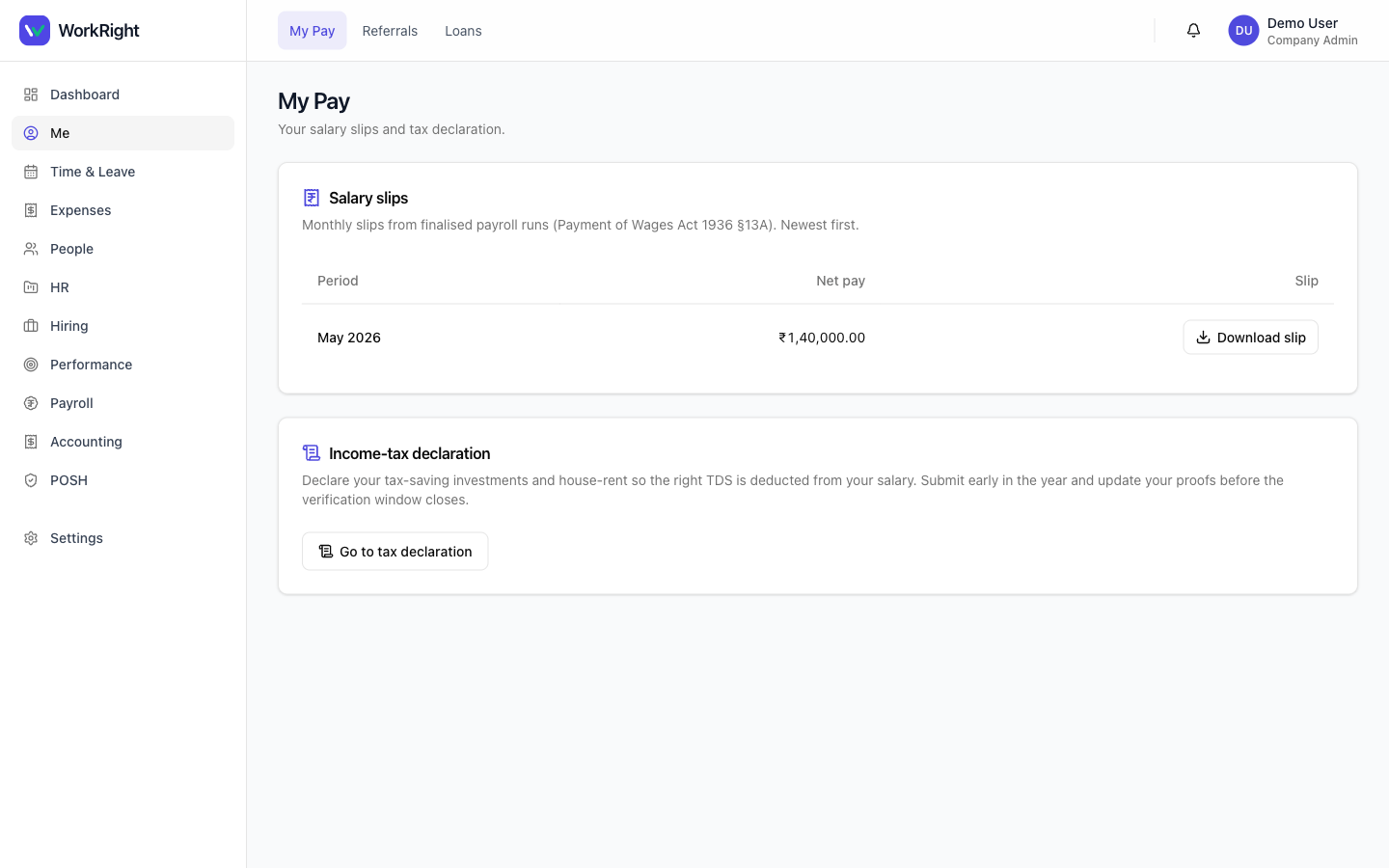
- Open My Pay to see your monthly salary slips, newest first. Click Download slipon any row to save the PDF — it's a Payment of Wages Act 1936 §13A slip generated from your company's finalised payroll run.
- Still on My Pay, use Go to tax declaration to declare your tax-saving investments and house rent so the right TDS is deducted. Submit early in the year and update your proofs before the verification window closes.
- Open My surveysto see the pulse, eNPS or custom surveys assigned to you. Click one to answer it — anonymous surveys are clearly marked, and each takes a few minutes. Once you've responded, it drops off your list.
- Open Helpdesk and click New ticket to raise an IT, HR or Admin request. Give it a subject, category and priority, and you can track its status from the same list.
Tips
- Install WorkRight as a phone app (it's a PWA) so your team can grab a payslip or answer a survey on the go.
- Anonymous surveys do not tie your answers back to you — if a survey shows the “Anonymous” marker, HR sees only the aggregate.
- If a payslip is missing, it usually means that month's payroll run hasn't been finalised yet — slips only appear from locked runs.
Related
- Run your first payroll — the HR-side step that makes slips appear in My Pay.
- Announcements, surveys & the helpdesk — how HR creates the surveys and notices employees see here.
- Quickstart — getting set up on WorkRight.