
What this does
An API token is a bearer credential (wr_<32hex>) that authenticates requests to the WorkRight REST API and the MCP server. It's bound to a single (company, user)pair, so it can only ever see your own company's data, and it carries capabilities that decide what it can do.
Who can do it
- Role: you create tokens for your own account from your workspace settings. Sensitive reads (like the employee roster, which carries PII) only work for tokens owned by an HR admin (
company_adminorhr_manager). - Plan: public API access is included with your plan; usage is rate-limited to 60 requests/minute per token.
Steps
 Click to enlarge
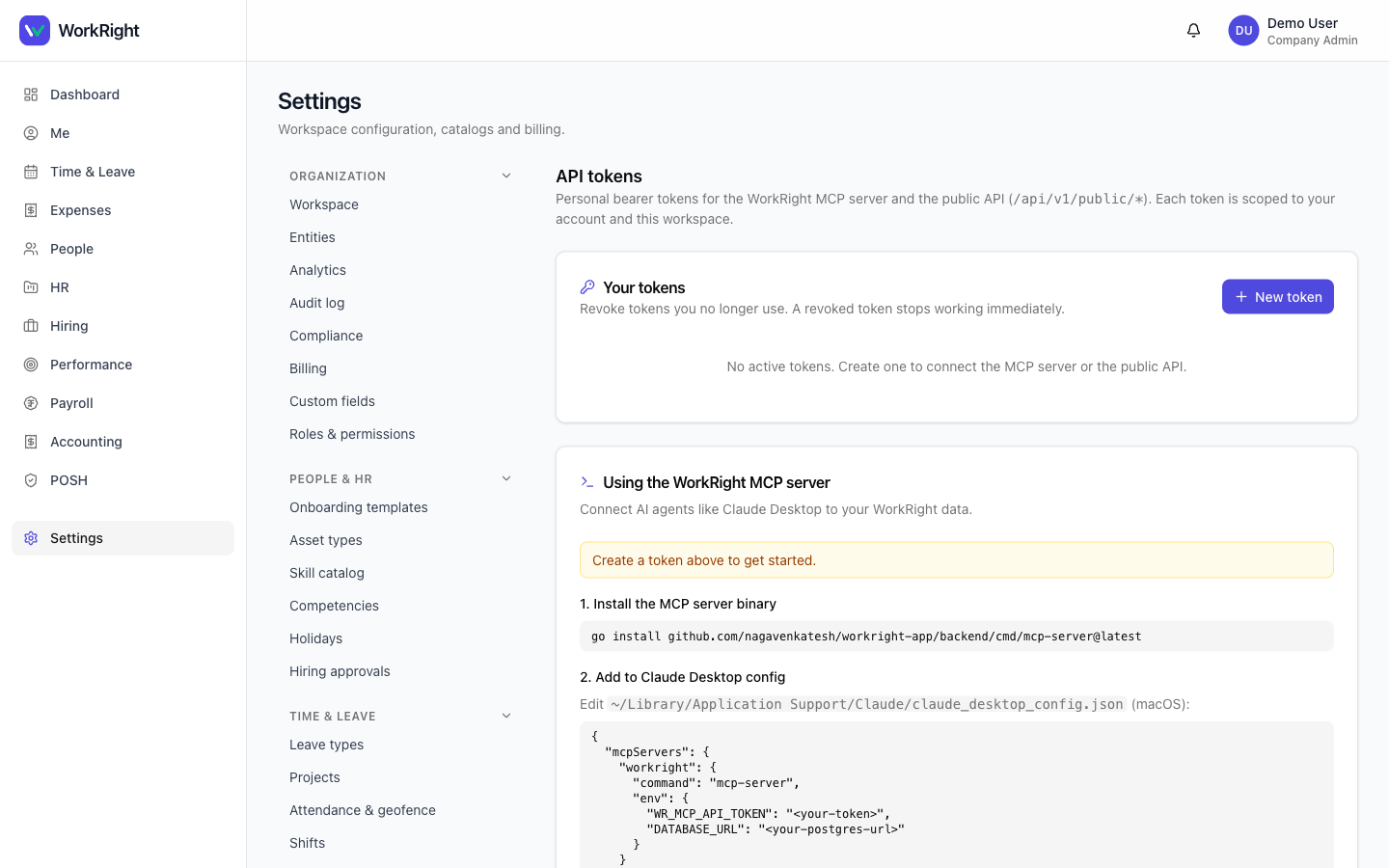
- In the dashboard, go to Settings → API Tokens and click Create token.
- Give it a label(e.g. “Analytics sync”) and pick its capabilities:
read— GET requests only (pull data).write— GET plus POST/PATCH/DELETE on the safe write endpoints.admin— reserved for the most sensitive operations (e.g. destructive webhook ops).
- Copy the token now. It's shown once and never stored in readable form. If you lose it, revoke it and create a new one.
- Store it in your secret manager — never commit it to code.
Make your first call
Send the token on the Authorization header. The production base URL is api.workright.in and every endpoint lives under /api/v1/public/:
curl https://api.workright.in/api/v1/public/leave/requests \
  -H "Authorization: Bearer wr_xxxxxxxxxxxxxxxxxxxxxxxxxxxxxxxx"
To use the same token with an AI assistant, set it as WR_MCP_API_TOKEN in your MCP client config — the quickstart has the exact snippet.
What happens next
The token works immediately. You can revoke it at any time from Settings → API Tokens — revocation is instant. Every API call is recorded in the audit log and attributed to the token, so you always know what acted on your data.
Related
- API quickstart — scopes, rate limits, error handling, MCP setup.
- API reference — every endpoint and schema.
- MCP tool catalog — the AI tools a token unlocks.