
What this does
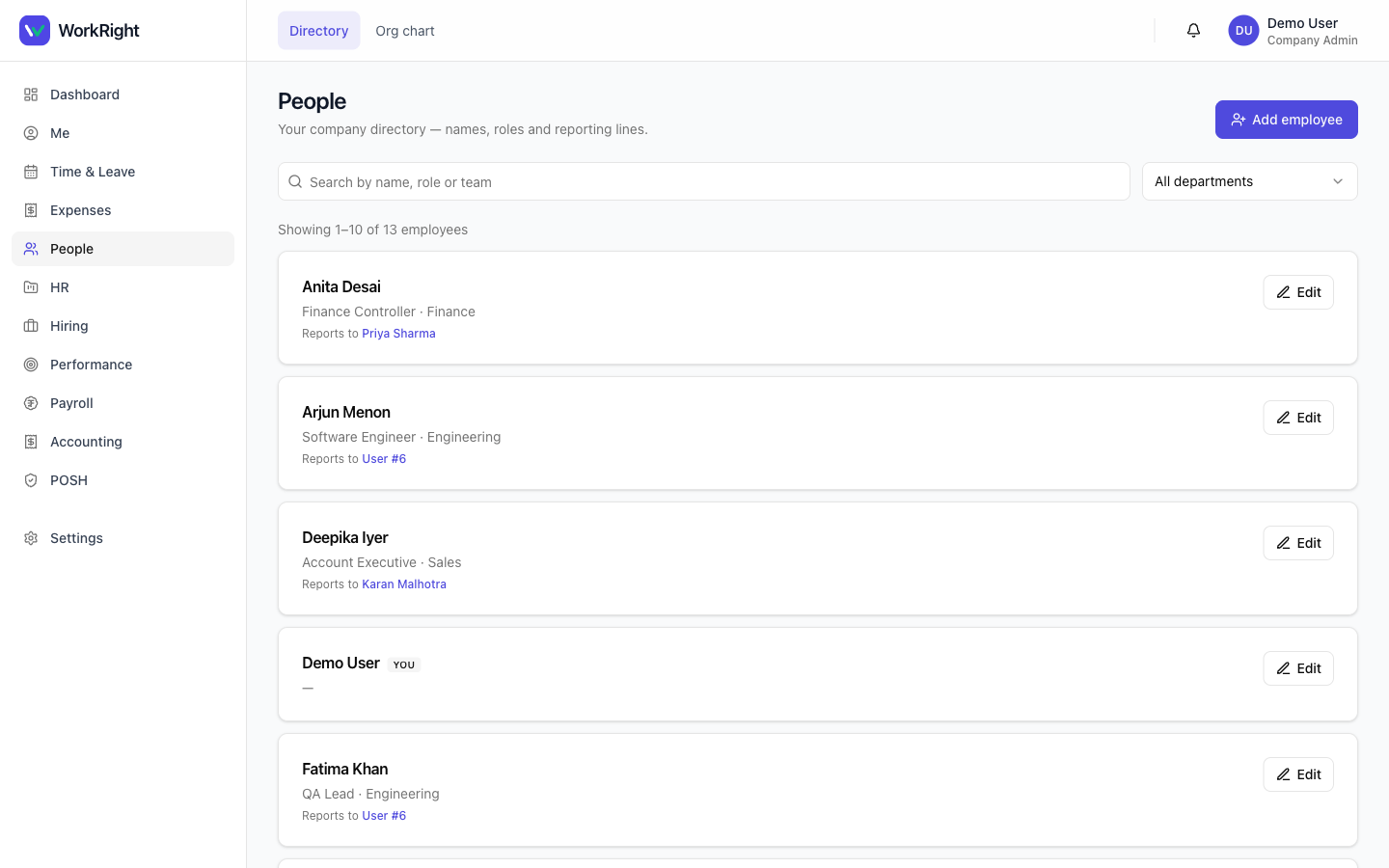
Adding an employee creates their record in WorkRight — name, contact, role, department, reporting manager, and the salary and statutory fields the other modules need. Once they exist, they appear across leave, attendance, payroll and POSH, and (if you start onboarding) get a checklist of documents and tasks for their first days.
Who can do it
- Role: an HR admin (
company_adminorhr_manager). - Roles you can assign:employee, ICC member, manager, HR manager and company admin. (You can never grant super-admin from here — it's a platform-level role.)
Steps — add one employee
- Open HR → Employees and click Add employee.
- Fill the core fields shown first (name, email, role, department, manager). Advanced and statutory fields (salary basic/HRA, PF/ESI/PT, bank account, nominee, address) are grouped below — fill what you have now; you can complete them later.
- Capture the employee's DPDP consent where prompted — WorkRight records consent for personal-data processing as part of creating the record.
- Save. To run their first-day checklist, start an onboarding for them and assign documents and tasks.
Steps — bulk import from CSV
For a whole team, import a spreadsheet instead of adding one by one:
- Open HR → Bulk imports and start a new Employees import.
- Download the CSV template for employees and fill one row per person. The importer checks every row and reports all the problems at once, so you can fix them in one pass.
- Upload the file and review the preview — what will be created and any row errors. Download the error log if you need to correct and re-upload.
- When the preview is clean, commit the import. WorkRight creates the employees.
You can also bulk-import leave balances and training assignments the same way.
What happens next
 Click to enlarge
New employees can sign in and start using their self-service surfaces — applying for leave, submitting expenses, completing POSH training and downloading their own payslips. Their salary fields make them eligible for the next payroll run.
Related
- Set up leave — give the new joiners their leave balances.
- Run your first payroll — pay them.