
What this does
A locked payroll run produces two things you actually send out. A salary slip is a per-employee PDF that meets the Payment of Wages Act 1936 §13A wage-slip requirement — it lists earnings, statutory deductions (EPF, ESI, Professional Tax, TDS) and net pay. A bank disbursement fileis a single bulk-transfer file you upload to your bank's corporate net-banking portal so every employee is paid in one go. Both are generated from the locked snapshot, so they always match what you locked — the slip regenerates byte-for-byte every time.
Who can do it
- Role: an HR admin (a
company_adminorhr_manager). Employees can download their own slip, but not the bank file. - Plan: the Payroll module must be enabled on your plan — see pricing.
- Locked run: both downloads only appear once the run is locked. There is nothing to download from a draft run.
Before you start
Make sure the run is locked (see Run your first payroll). For the bank file you also need a debit (source) account configured for the entity — its bank brand decides the file format. Set this up under Settings → Payment accounts (or Settings → Entities → Payroll bank accounts). Each employee needs a bank account number and IFSC for the bank file; anyone missing or invalid is skipped and flagged before you download.
Steps
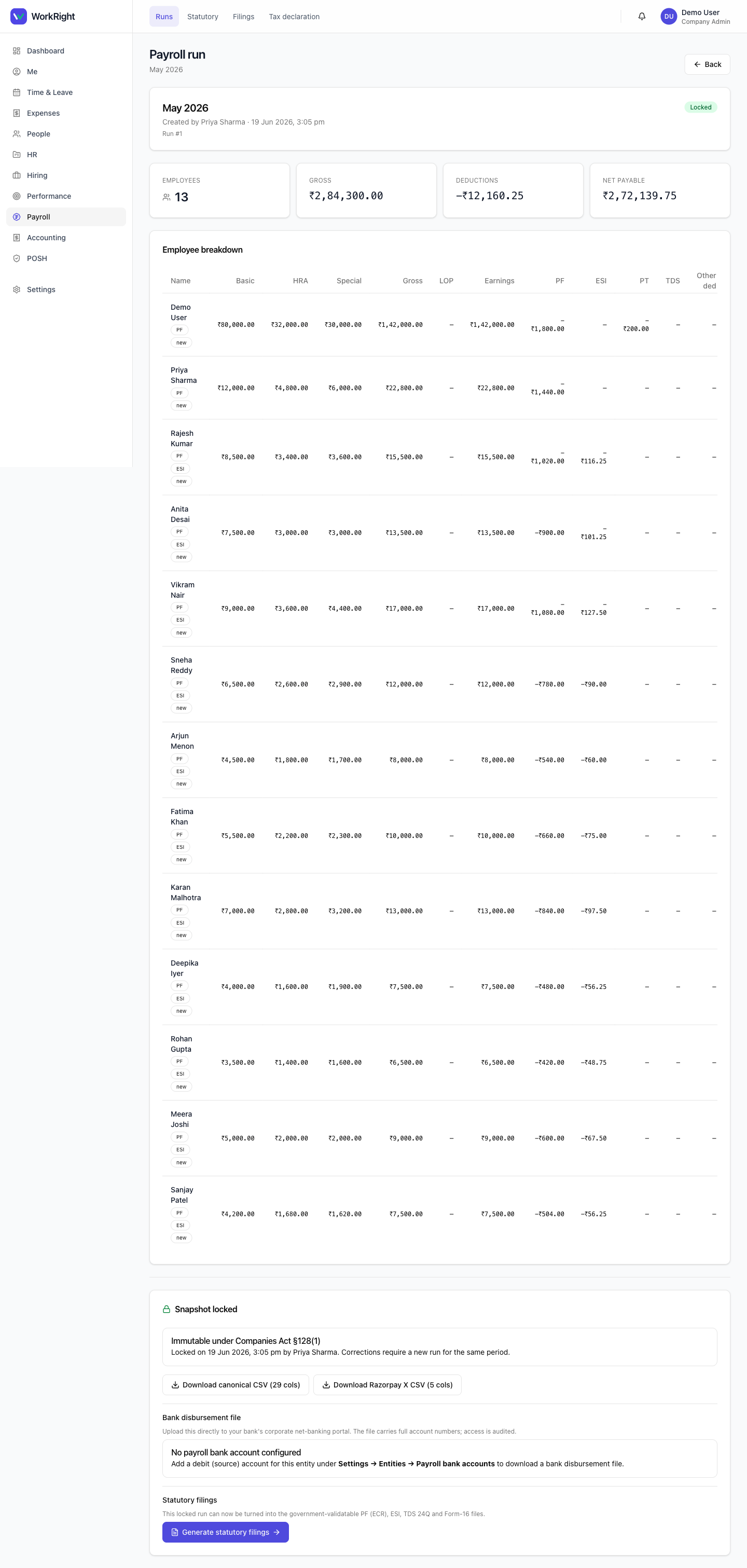
- Open Payroll, click into the run, and confirm it shows as Locked.
- To get a salary slip, use the slip download control on the employee's row. The PDF is named by employee code and pay period; it carries the §13A wage details and shows the bank account masked to its last four digits.
- To get the bank file, scroll to the bank disbursement section. Pick the debit account & format (generic NEFT, or HDFC / ICICI / SBI), then click Preview.
- The preview tells you how many beneficiaries will be in the file and lists anyone skipped for missing or invalid banking data. Fix those and re-cut, or click Download anyway to pay the valid ones and the rest separately.
- Click Download bank fileand upload it to your bank's corporate net-banking portal.
 Click to enlarge
Tips
- The bank file carries full account numbers (your bank needs them to debit), so access to it is audited. Everywhere else, accounts are shown masked.
- A RazorpayX payout CSV is also available on the locked run if you pay through RazorpayX instead of your bank's portal.
- Slips regenerate identically from the locked snapshot, so you can re-download a past month's slip any time without it drifting.
Related
- Run your first payroll — create and lock the run these outputs come from.
- Add or onboard an employee — set the bank account and IFSC the bank file needs.
- Payroll software for India — what the module covers.